Flint Capture
Download free
Features How it works Compare Blog Pricing Download free
1.0 Out now for Apple silicon

Select. Mark up.
Ship it.

Screenshots, annotation and screen recording for macOS — the whole job, done before anything leaves your Mac. $19 once.

14-day trial, no card No account, ever Zero telemetry macOS 14+
The Flint Capture editor: a tool palette down the left edge, colour swatches and a line-width slider along the top, and an annotated dashboard on the canvas with a red callout box, an arrow, a text label reading “up 18% this week”, numbered step markers and a blurred email column.

The editor, on a capture taken four seconds earlier. Everything you see here shipped in 1.0.

Download size
1.8 MB
Annotation tools
12
Bytes uploaded
0
Price, forever
$19 once

The whole loop

From key press to finished image,
without leaving the app.

Most capture tools hand you a PNG and wish you luck. This one carries the shot all the way to the thing you actually paste into the ticket.

01 — Aim

The screen freezes the moment you press the key.

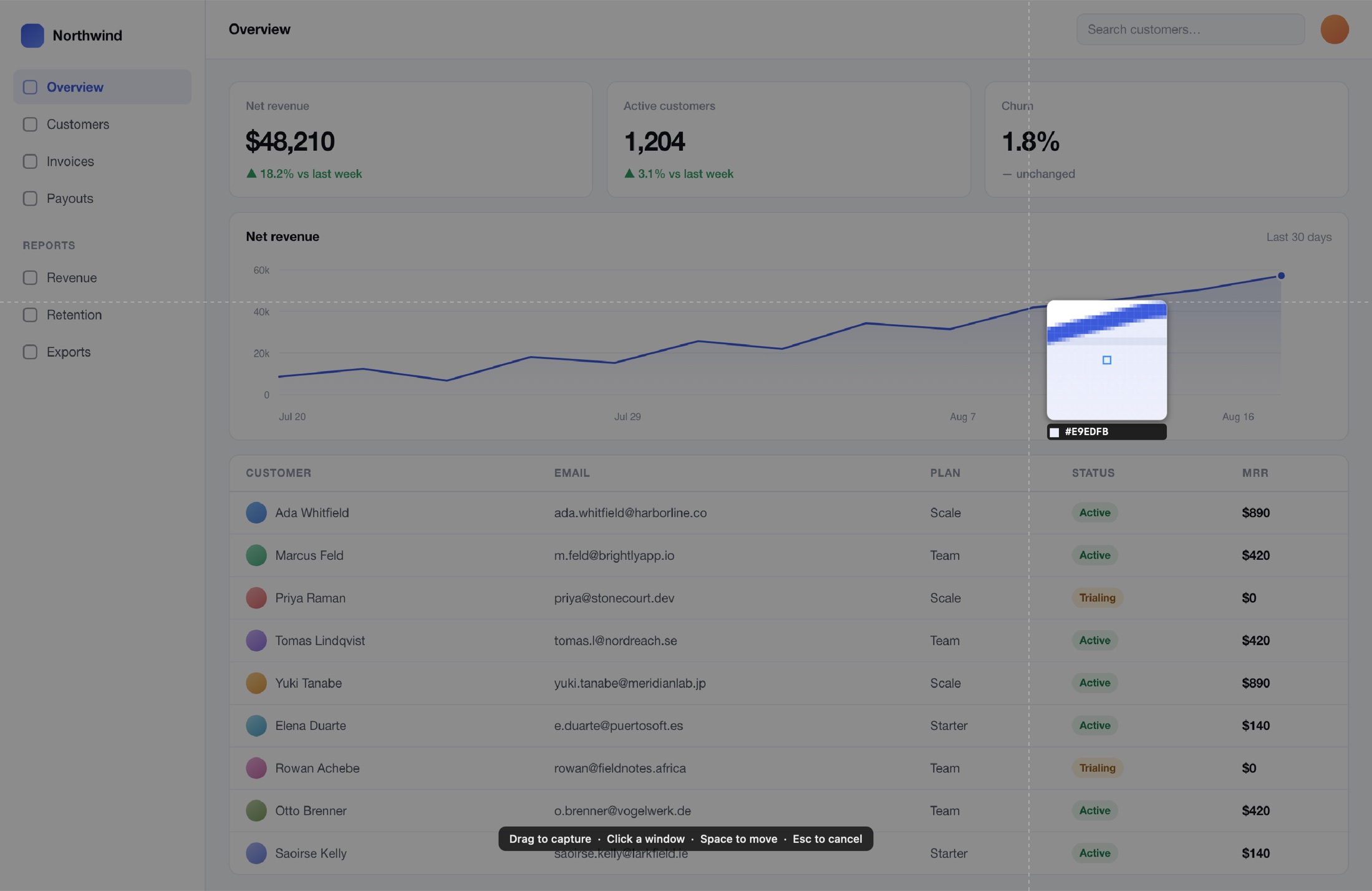
Nothing animates, nothing scrolls, no tooltip disappears while you line the shot up. A pixel magnifier follows the cursor with a live hex readout, so you can hit a one-pixel border on purpose.

The selection overlay before a drag: crosshair guides across a frozen screen and a pixel magnifier showing hex value E9EDFB.

02 — Select

Adjust before you commit, not after.

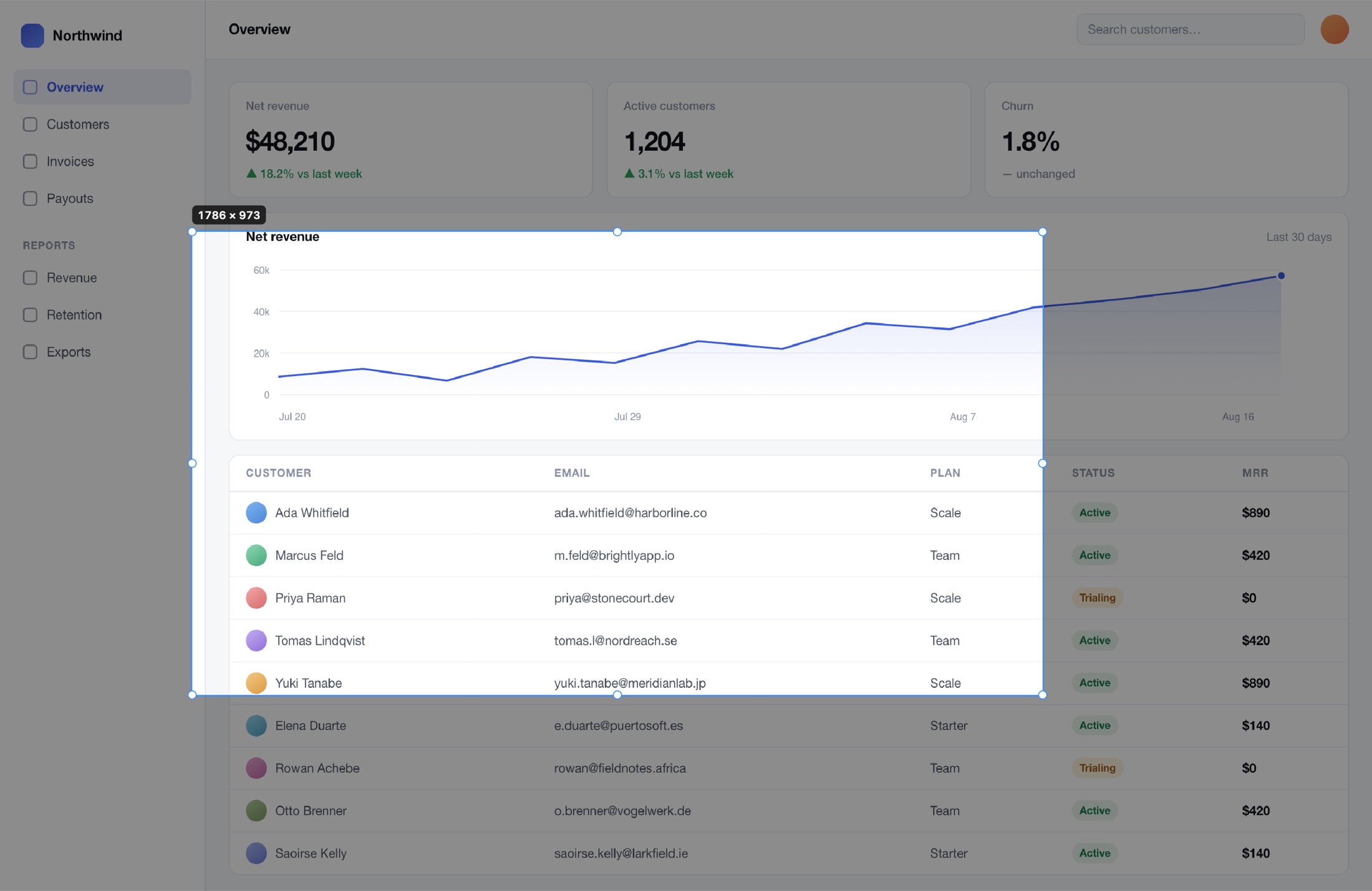
Eight resize handles, rule-of-thirds guides and a live dimension badge. Nudge the edges with arrow keys, hold space to move the whole selection, or press Tab to snap to a window instead.

A committed selection: the region bright against a dimmed screen, eight round handles, and a badge reading 1786 by 973.

03 — Mark up

Twelve tools, and none of them are permanent.

Arrow, line, pen, highlighter, rectangle, ellipse, text, step counters, spotlight, blur, pixelate, redact. Every mark stays an object you can move, restyle and reorder — hours later, not just before the next click.

The Flint Capture editor with several annotations applied.

04 — Redact

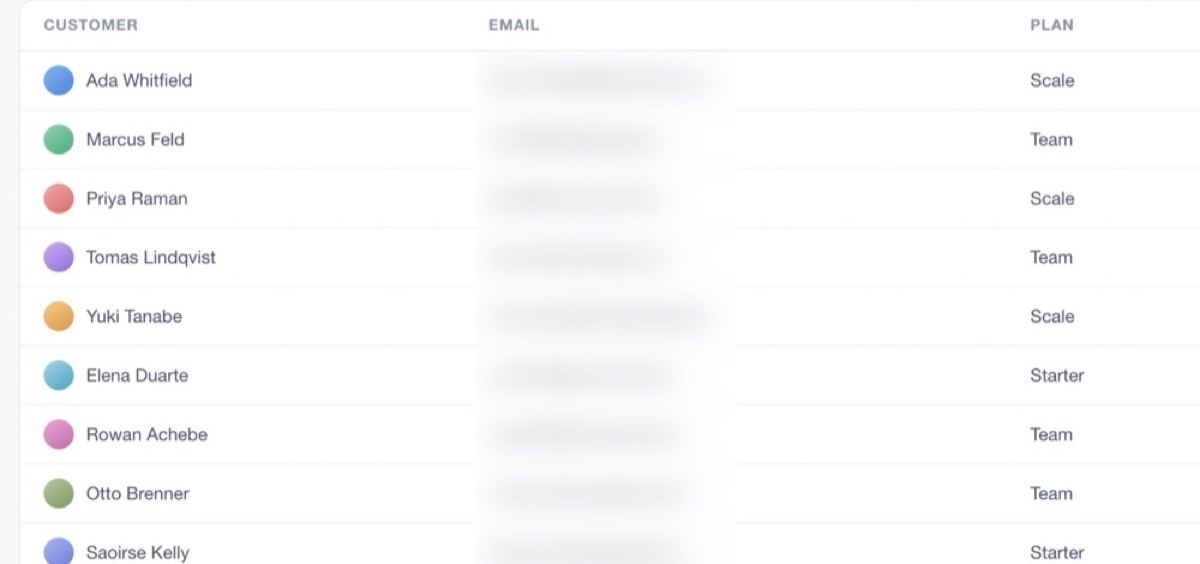
Blur every email in the shot with one click.

Flint Capture finds the text regions itself and obscures all of them at once — blur, pixelate or a solid bar. No dragging a rectangle over each row and hoping you got them all. It runs on-device with Vision.

A customer table where every address in the email column is blurred while the names beside them stay legible.

05 — Dress it

The export canvas, so it looks deliberate.

Padding, a solid or gradient or wallpaper backdrop, rounded corners and a drop shadow. Save it as a preset once and every future capture comes out looking the same. This image is the app's own output.

The annotated dashboard placed on a violet-to-blue gradient with rounded corners and a drop shadow.

Beyond the rectangle

The parts you only miss
once they're gone.

Scrolling capture that admits defeat

It scrolls the window for you and stitches the frames into one tall image. When a region is too featureless to align confidently it tells you, instead of quietly handing back a picture with a seam through the middle.

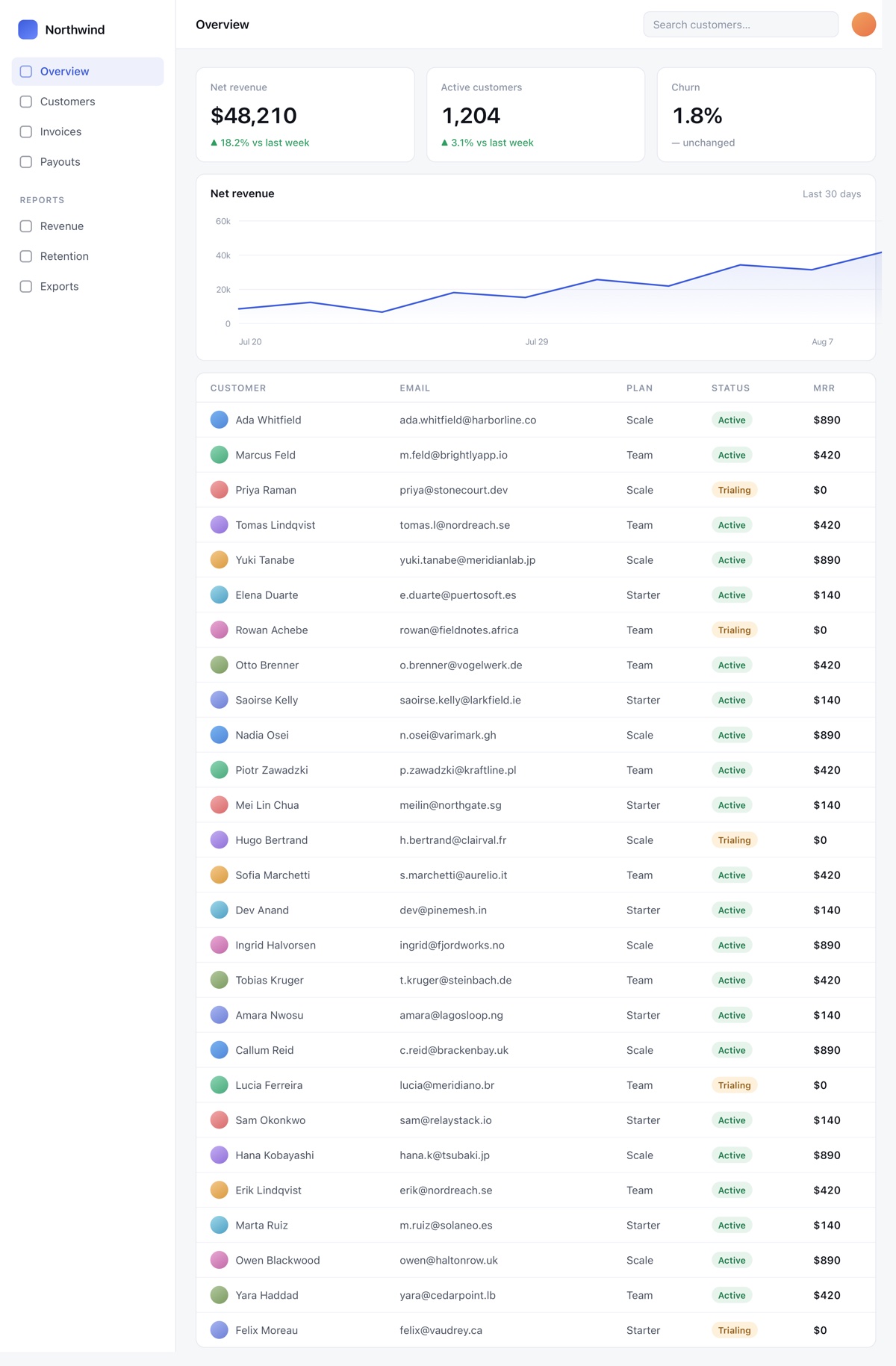
1100 × 1829 — one pass A customer table twenty-seven rows long, captured as one continuous image far taller than the window it came from.
Capture text

OCR any region straight to the clipboard — ⇧⌘T. Endlessly useful on the screenshots people send you instead of text.

Every display

Including one selection spanning two screens, each captured at its own scale factor.

Pin to screen

Float a capture above everything, cycle its opacity, or click straight through it while you work.

Window capture

Hover to highlight, Tab to cycle. Transparency survives, and the shadow is synthesised rather than scraped off your desktop.

Record the screen, or a GIF

H.264 or HEVC with system audio and microphone, click ripples and cursor highlighting. Trim it afterwards — or convert the finished video to a GIF without leaving the window.

The recording control bar: elapsed time, pause, stop and restart controls.

The card that follows the capture

Every shot lands as a small floating card in the corner. Drag it straight into Slack, Figma or a Finder window; ignore it and it fades out on its own.

The quick access card showing a thumbnail of the capture just taken.

Every feature, in detail →

Never touch the menu

Bind it to a key.
Or script it.

Every action in the app has both a hotkey and a command. The binary doubles as its own CLI — a second launch forwards the command to the running app and exits, so nothing steals focus.

zsh — flint
$ flint capture-area
$ flint scrolling-capture
$ flint capture-text          # OCR to clipboard
$ flint record-gif
$ flint record-previous-area
$ flint --list                # every command

Conflicts surface, they don't vanish

Record a shortcut in place. If something else on the system already owns it, the app says so rather than silently failing later.

Wires into anything

Shortcuts, Raycast, Alfred, a Stream Deck, a shell alias. Because it's a plain command that returns immediately, it composes.

Nothing runs in the background but the app

No helper daemon, no login item you didn't ask for, no update service phoning home on a timer.

The part nobody advertises

Your screenshots are
none of our business.

Screen captures are the most sensitive thing on a work machine — customer tables, internal dashboards, unreleased designs, the contents of your inbox. So Flint Capture has nowhere to send them.

No account

There is no sign-up screen, because there is no server holding anything of yours.

No telemetry

No analytics, no crash reporting, no "anonymous usage data" checkbox buried in settings.

No licence call

Your key is verified against a public key compiled into the app. It works on a plane, and it keeps working if this website disappears.

The honest bit

How it compares.

CleanShot X is a genuinely good app and the reason a lot of people stopped using ⇧⌘4. Here is where the two differ.

Flint Capture compared with CleanShot X
 Flint CaptureCleanShot X
Price$19 once$29 once
Subscription optionNone$8/mo with cloud
Account requiredNeverFor cloud features
Licence checkOffline, signedOnline activation
Local capture featuresFull parityFull
Scriptable CLIYesYes
Download size1.8 MB~60 MB
Cloud upload & share linksNot yet — planned for 1.1Yes

If share links are the whole reason you'd buy a capture tool, buy CleanShot X today — we'd rather you had the right app than ours. Flint Capture is for everything that happens before the upload.

Already using ⇧⌘4? Here is exactly where it stops →

Pricing

One price. One time.

No tiers, no seats, no renewal email in eleven months. Try it for fourteen days first — the trial needs no card and no account.

$19 once
  • Every feature on this page. There is no pro tier holding something back.
  • Free updates through 1.x, including the cloud sharing in 1.1.
  • Every Mac you own. Desktop and laptop on one key.
  • 14-day trial — no card, no account, no nag screen until it ends.
  • Verifies offline. Your licence keeps working if this site doesn't.

30 days to change your mind. Email and you are refunded in full, no questions. With the free trial first, that is 44 days to decide.

Start the 14-day trial

Buy from inside the app whenever you're ready. Refunds within 30 days, no questions.

Questions

Before you download.

What does it run on?

macOS 14 (Sonoma) or later, on Apple silicon. There is no Intel build today.

What permissions does it need, and why?

Screen & System Audio Recording for anything at all — that is macOS's own gate on capture. Accessibility only for scrolling capture, because the app has to scroll the window for you. Microphone for voice-over and Camera for the webcam overlay, both optional and only requested the first time you use them.

Does anything leave my Mac?

No. No telemetry, no crash reporting, no cloud upload. Your licence key is verified offline against a public key compiled into the app, so it never phones home either. When cloud sharing arrives in 1.1 it will be opt-in per capture.

What happens when the trial ends?

Capture stops until you enter a licence key. Nothing you already saved is touched, and the editor still opens your existing captures.

Is it a real Mac app?

AppKit and ScreenCaptureKit, with no Electron and no third-party dependencies in the app itself. That is most of why the download is 1.8 MB rather than 60.

Can I use it on more than one Mac?

Yes — every Mac you personally own, on the one key. There is no activation server counting them.

Will 2.0 be a paid upgrade?

Possibly. The licence format already records the version range it covers, so a paid 2.0 can happen without invalidating your key. Everything in 1.x is included in what you pay today.

How do refunds work?

Email within 30 days and you get your money back. The app is a 1.8 MB download with a two-week trial, so there should be no surprises — but if there are, that's on us.

Take a better screenshot
in about ninety seconds.

1.8 MB, fourteen days, no card, no account.